ST SVG Support for OpenCart 3
Upload SVG logos to OpenCart using this simple modification, which adds the ability to use modern vector SVG images in your online store.
A PNG logo with a fixed size may appear blurry on smartphones and even on modern high-resolution laptops. This can create a less-than-ideal impression of your website.
Therefore, the best option today is to use SVG logos, which look sharp on different devices. Although OpenCart 3 is still maintained and receives updates, unfortunately, this image format has not been added natively. But this is no longer a problem. You can always use our modification to fix this issue.
The ST SVG Support modification has been tested on the following OpenCart versions:
- 3.0.2.0
- 3.0.3.6
- 3.0.3.8
- 3.0.4.0
- 3.0.4.1
Download the modification for free from our website! Ensure your online store's logo displays perfectly on both mobile devices and large screens.
In OpenCart 4 (tested on 4.1.0.3), SVG images can be uploaded out-of-the-box without additional modifications. However, there are still not many reliable modules available for it. Considering that this version does not have major changes compared to version 3, you can always use OpenCart 3, which has a wide range of modules and templates. Adding modern image formats is not a big problem. At least, you have found a solution for this small yet important task.
How to install ST SVG Support for OpenCart?
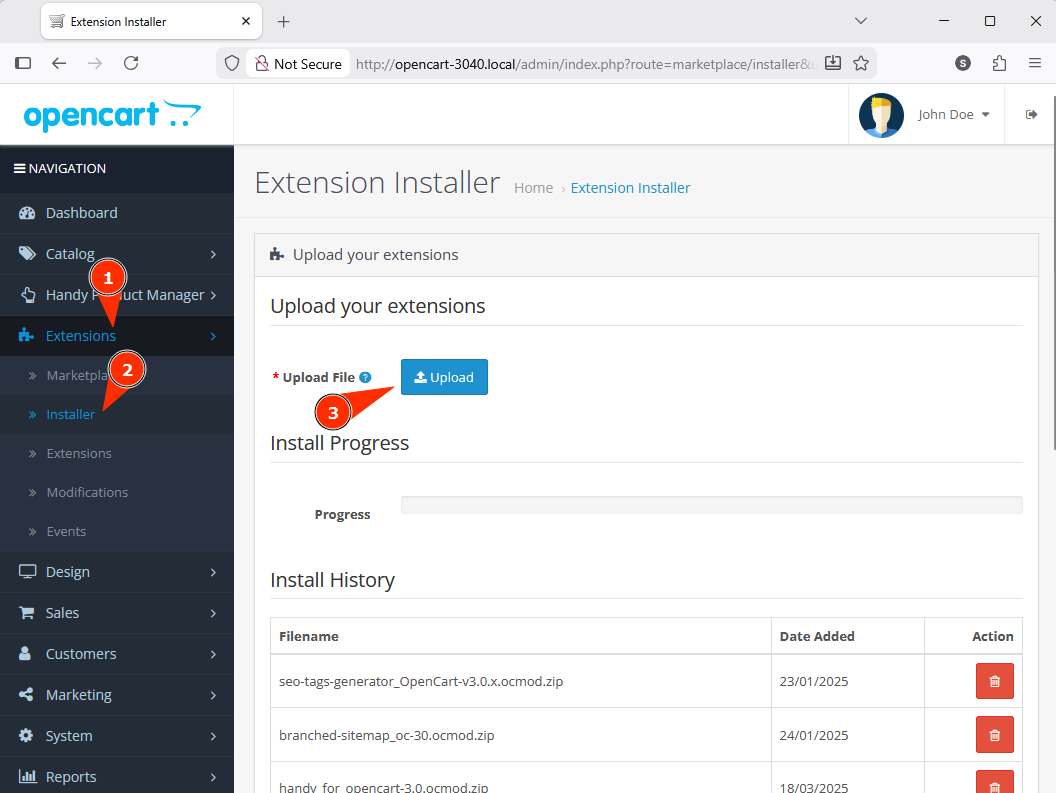
- Go to Extensions -> Installer
- Click "Upload" button
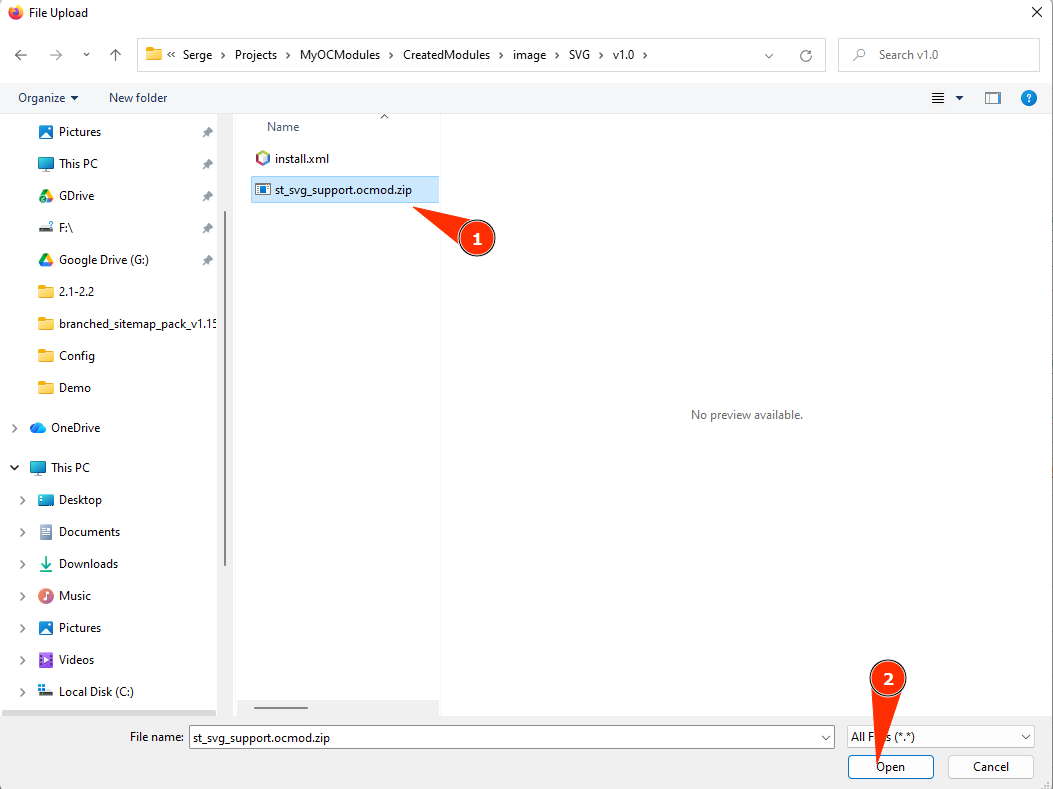
- Select the file 'st_svg_support.ocmod.zip' that you downloaded from our website
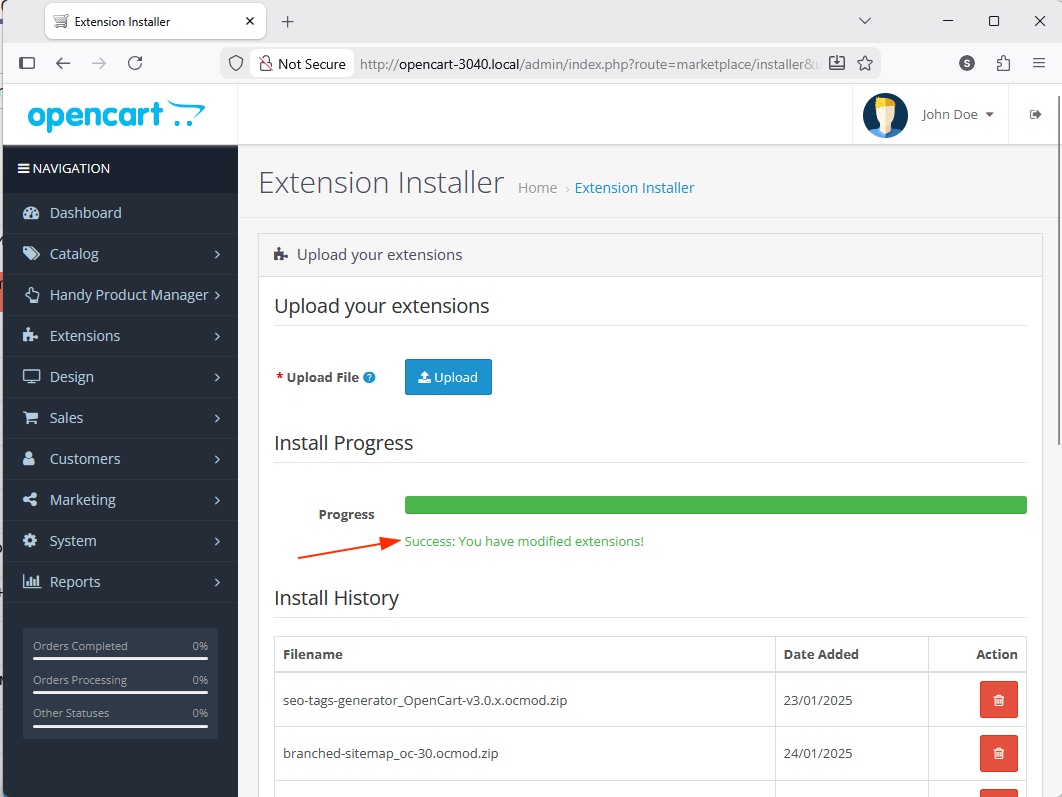
- You should see the message in green: "Success: You have modified extensions!"
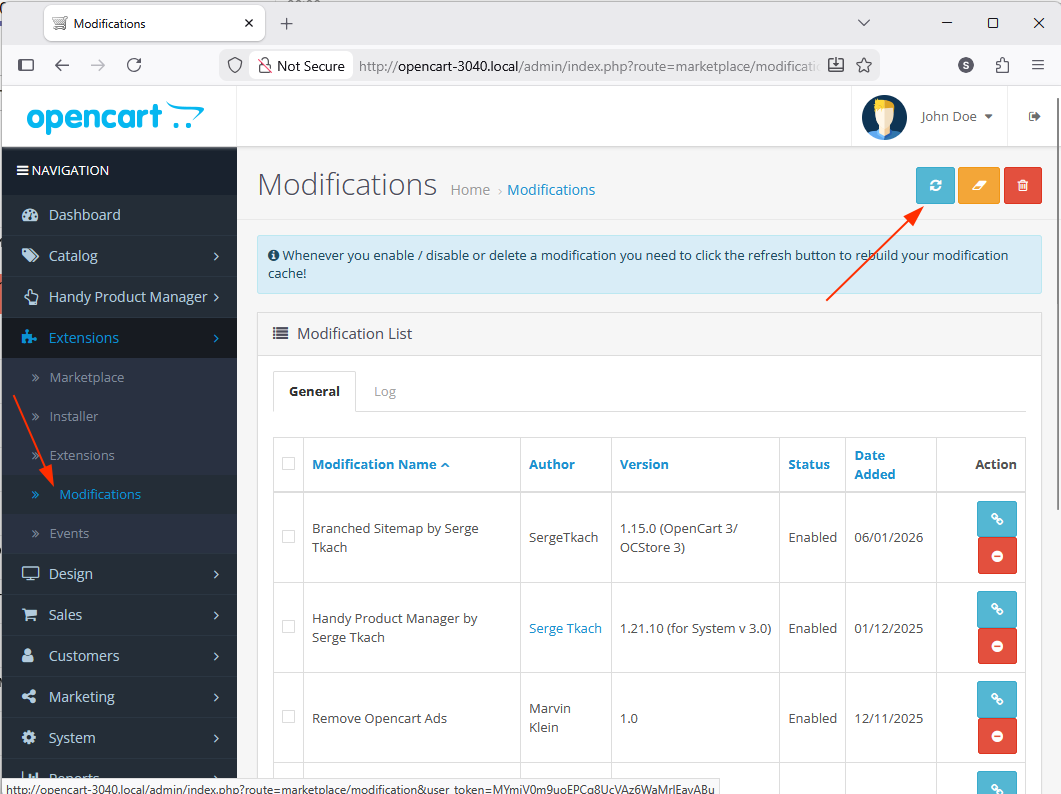
- Next, go to the Modifications page (Extensions -> Modifications)
- Click the blue 'Refresh' button in the top-right corner
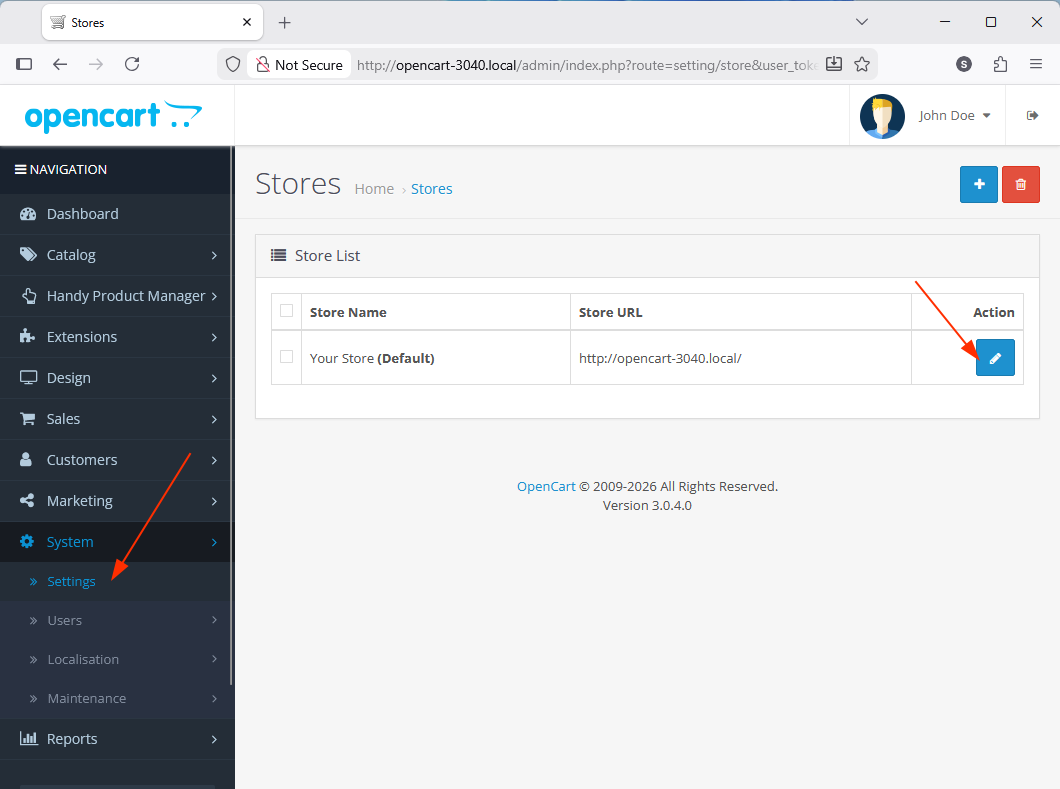
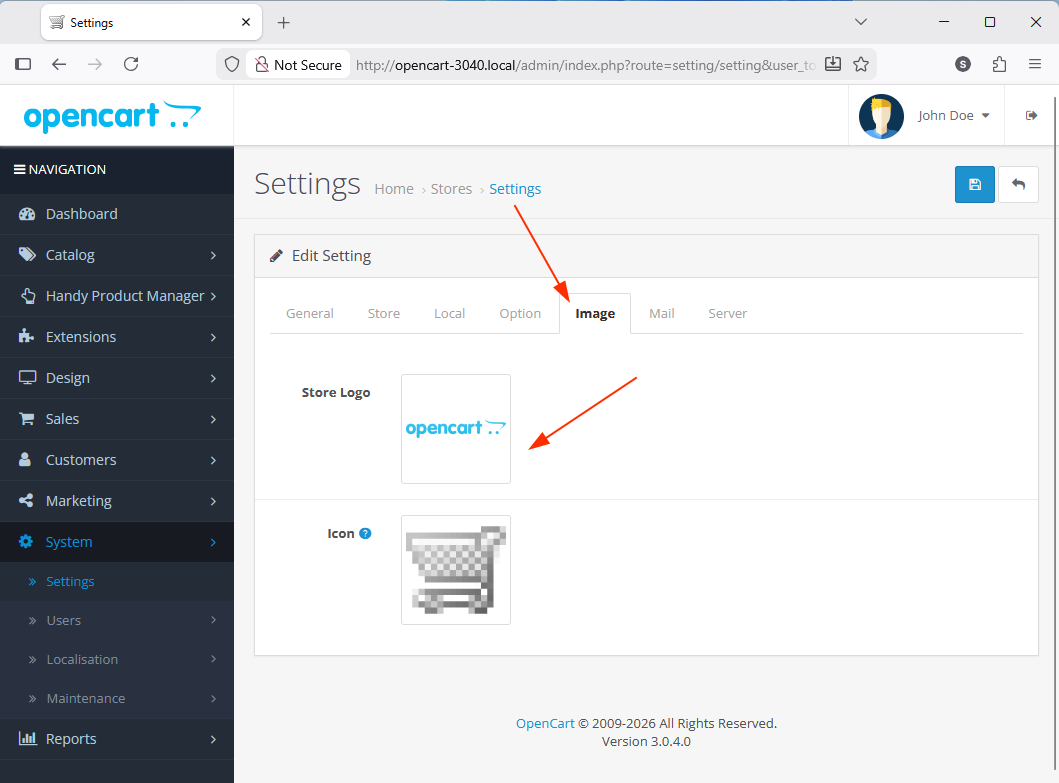
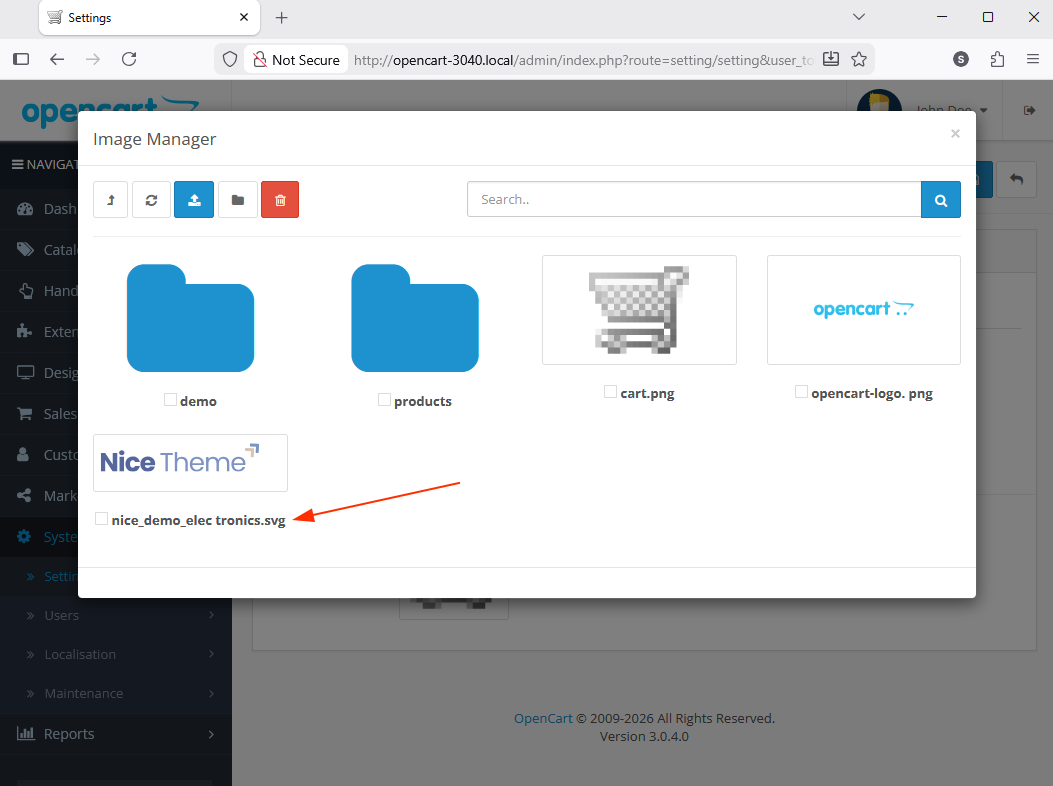
- Now you can select SVG files in the file manager. You can go to the system settings and upload a logo in SVG format.